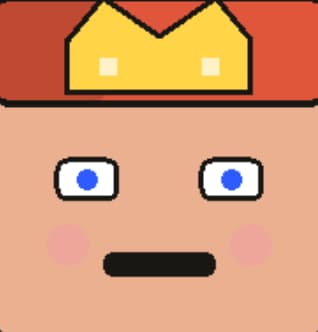
Cat Icon Maker for clean pixel cat faces
Build a tiny cat face in a few taps. Mix fur, eyes, and small gear, then save a clear PNG for chats, game tags, and mini icons. Fast flow, no sign in. 🐾
Tap START in the player to load. Pick parts, tweak tone, then SAVE to export. 😺
Cat Icon Maker Gallery: Cat Icon Maker looks
A small set of pixel cat faces from the tool. Use the set to judge tone, eye tilt, and fur mix before you save your own.


Want more shapes? Try the Pixel Art Generator.
What Is the Cat Icon Maker? Cat Icon Maker basics
Picture a tiny cat face built from clean blocks. You pick fur tone, ear shape, eye set, and small gear. Each tap swaps one layer, so the face stays neat. The grid keeps edges sharp at small size. A calm cat, a bold cat, or a sly cat all work well. You can keep the look cute, cool, or a bit odd. The tool runs in your web view, so no app or plug is need. It loads fast and keeps the flow light. The style leans on old pixel art, yet the result feels new. If you want a short note on the style, see pixel art.
With Cat Icon Maker, you get 12 part sets and 200+ picks. Think fur tone, spots, ears, eyes, mouth, whiskers, cheeks, and collar gear. A few taps can make a new mix each time. Each save is a 256x256 PNG, so the icon stays crisp. The file is small and easy to drop in chat or game UI. Your work stays on your device, so your art is yours. No sign in is ask. The view updates as you change each part. You can swap shade on the fly and test mood fast. This makes the tool fit both fast play and calm craft.
"Sharp lines and calm tone make cat icons read well."
Why Choose Our Cat Icon Maker? Cat Icon Maker perks
This maker is free and easy to use. You get a wide set of parts in one place. That means fur, eyes, and small gear are all in reach. The flow is quick, so you can test many looks in one sit. A mix of 200+ picks lets you push range without stress. A random pick can start your plan when you feel stuck. The save step is fast, so you can try a new look in a snap.
The work stays in your web view, so your art stays with you. No sign in means no wait. The tool runs well on desk, pad, and phone. It also keeps the file size small, so a PNG can fit chat, apps, or game UI. Color picks let you match a real cat or a new idea on the fly. The fast flow helps you keep pace, even on a short break. It feels light, yet the result looks neat and clean. You can keep a small set for each mood. Swap gear to mark roles.
Short bursts of use work well. You can make one cat per friend, then keep a neat set. A simple tag, like a star or bell, can set rank or role. Keep tone pair in mind so the face is clear on light or dark bg. If you plan a theme week, keep the same fur tone and swap eyes. That keeps style tight.
| Need | Cat tool | Other tools |
|---|---|---|
| Part mix | 200+ picks and 12 sets | Few sets, less range |
| Save | Fast 256 PNG | Slow or gated |
| Use | All major apps | Site bound use |
How to Use the Cat Icon Maker: Cat Icon Maker steps
Start with Cat Icon Maker by set a base fur tone. Next, pick ears and eyes to set mood. Add mouth, whiskers, and cheeks to push style. Use one or two gear items so the face stays clear at small size. The view updates as you tap, so you can spot weak spots right away. Keep a tight color plan for a neat look. High tone shift helps the face read in small icons. When the face feels right, save a PNG and test it in a small slot.
Cat Icon Maker setup: Cat Icon Maker quick flow
Begin with fur, then lock the eye row near mid. Add a brow or cheek mark to set vibe. Pick a collar or hat only if it stays clean. If you need a spark, use the random key and tweak from there. Try two or three tone sets, then pick the best. A tiny view test helps keep the face crisp. Save two or three picks so you can swap by mood later. This keeps your pack new for chats and game use.
- Pick fur and eyes to set tone.
- Add ears, mouth, and whiskers.
- Set two or three tones for balance.
- Save PNG and test at small size.
Cat Icon Maker for Every Platform: Cat Icon Maker reach
A 256 PNG size fits most chat and game apps. You can drop the cat face into group chat, stream tags, or user cards. The block style reads well on light or dark UI. That makes it a good pick for fast scroll feeds. Use the same face for a team set, or make a small pack for pals.
Each app has its own crop, so test the icon in a round or square slot. You can keep the eyes near mid so the face still reads. If you post on many apps, keep a base tone and swap a gear item to make each use feel new. The PNG keeps edges crisp, so it looks neat in small view.
Make a base face for a guild, then swap a small tag per role. A light eye tone reads well on dark UI, while a dark eye tone reads on light UI. For round crops, keep ears in the frame. For square crops, push ears high for a bold look. Save a few files with short names so you can find them fast.
Discord
Stand out in chat with a bold cat face.
Twitter/X
Keep a sharp icon in a round crop.
TikTok
Use a bright tone for fast scroll.
YouTube
Show a clean cat face on your chan.
Cat Icon Maker Tips & Tricks: Cat Icon Maker pro tips
The best pixel cats use bold tone mix and clean lines. Keep the eyes near mid, and keep the jaw line clear. Use one small prop to keep the face neat. A warm fur base and a cool eye tone can feel new. Test the icon at tiny size before you save. Small checks help you spot blur or odd edge. 🧵
Try a two tone plan for fur, with a dark edge line. Use one bright spot to draw the eye. A soft cheek mark can add charm without mess. If you want a match to a real pet, note the eye tone and nose dot. For a cute look, keep the mouth small. For a calm look, keep the brow flat. A quick test on a dark bg can show if the face pops.
- Pick one vibe: calm, bold, or odd.
- Mind the eyes: keep them near mid.
- Use light gear: one hat or tag.
- Test small: check the 64 size view.
- Save two picks: day and night.
- Try dark bg: check edge pop.
Keep a plain bg when you edit, so tone reads true. If you plan a set, lock a base fur tone, then swap ears or tags. Small change can feel big at icon size.
Frequently Asked Questions About Cat Icon Maker: Cat Icon Maker help
Need quick help with Cat Icon Maker? This tool is free, saves PNG files, and runs in a web view. If a part looks off, swap one item at a time. A short test save can show how the icon reads in a tiny slot.
If you need a quick start, use the random key, then tweak one part at a time. Keep each save in one fold so you can sort by mood or use. If a part looks odd, swap it out and test at small size again. A short test helps you spot blur, bad tone mix, or odd ears.
Is the cat icon tool free?
Yes. It is free and needs no sign in.
What file do I get?
You get a 256x256 PNG with sharp edges.
Can I use it on phone?
Yes. It runs on most new phone views.
Does it save my art?
Your work stays in the page until you save.
Can I use it for a team?
Yes. Save a set and share with your group.
Does it need a plug?
No. It runs in a web view with no add on.