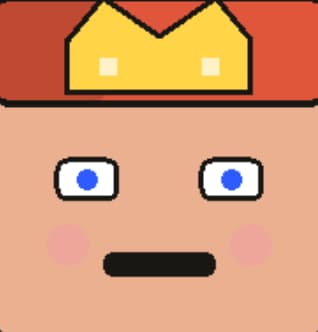
Square Face Generator: Create Cute Pixel Art Avatars (Free & No Flash)
Build a clean square icon fast with Square Face Generator. Mix eyes, hair, and props, then export a crisp PNG for Discord, TikTok, or game profiles. Square Face Generator runs in your browser and keeps your edits on your device. ✨
Square Face Generator Gallery
Browse real icon ideas made with Square Face Generator and pick a style to remix. Each sample is saved from Square Face Generator so you can match colors, hair, and props for your own avatar.
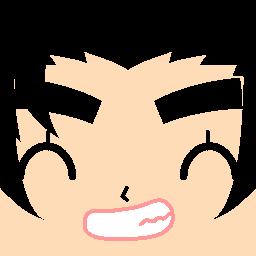
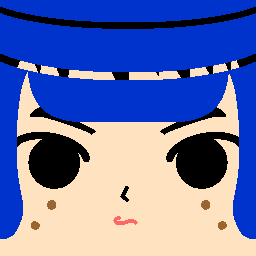
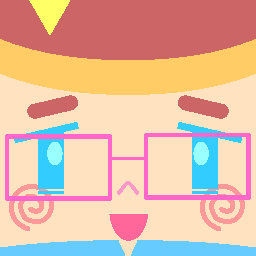
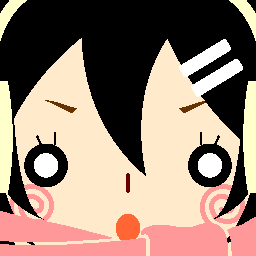

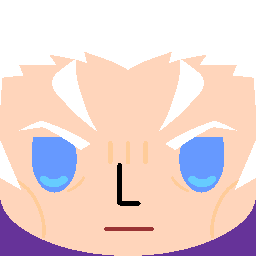
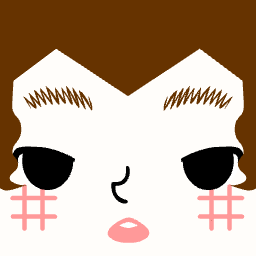

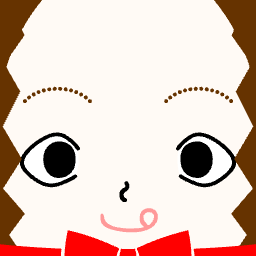
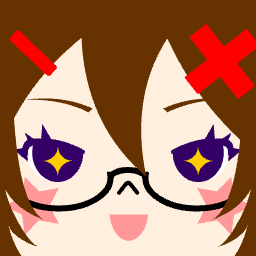
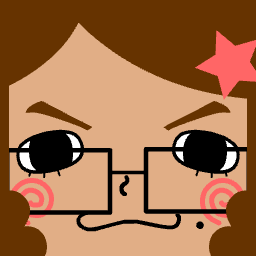

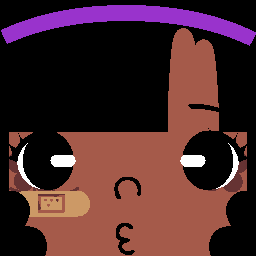
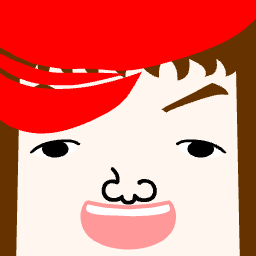
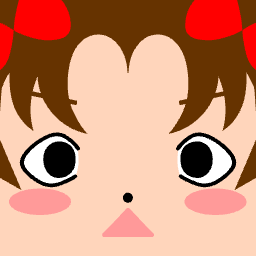
Want more styles? Try the Square Face Cube Generator or the Oval Face Generator for a fresh shape.
What is Square Face Generator? Square Face Generator basics
Square Face Generator is a free browser tool for making cute square icons in minutes. Square Face Generator lets you stack parts like hair, eyes, brows, and props so your icon feels personal, not generic. You can build a cozy gamer look, a crisp brand icon, or a soft pastel avatar for chat apps. The tool runs with HTML5 and a fast preview loop, so each change shows at once. That speed makes it easy to test styles, swap colors, and lock a final look without long waits. If you want background on pixel art and avatar craft, this quick Pixel art note gives helpful context.
Square Face Generator also keeps your edits in the browser, which helps with privacy and speed. Your files do not need a login or cloud save, so your icon stays on your device unless you export. Use Square Face Generator for Discord, TikTok, or class teams, or jump to the blog for fresh tips and use cases. If you like blocky forms, the Square Face Cube Generator can turn the same vibe into a cube look. If you want a soft look, the Oval Face Generator adds a calm, rounded feel. Square Face Generator works as the hub for all three styles. ✅
"Square icons read fast on small screens, so contrast and shape matter most."
How to Use Square Face Generator - Square Face Generator steps
Square Face Generator is built for fast, clear steps. Square Face Generator starts with a base skin and face shape, then lets you add hair, eyes, and props until the vibe feels right. Use the preview to check balance and keep the eyes easy to read at small sizes. If you need a fast start, try a random mix, then edit one part at a time. Square Face Generator keeps each part in its own layer, so you can swap hair, hats, or glasses without losing your base. You can also plan a set of icons for a team, then export each one to PNG in seconds.
Square Face Generator setup
Start with skin and face tone, then choose the eyes and brows to set mood. Square Face Generator makes these choices easy with clear part tabs and fast render. When you switch to hair and props, keep the shape bold so the square face still reads at icon size. Square Face Generator also lets you fine-tune color for each part, so you can match brand tones or a game theme. For more ideas, link your plan to the Square Face Generator blog and see style guides.
- Pick a skin tone and face shape first.
- Add eyes and brows for a clear mood.
- Choose hair and props that fit the square frame.
- Set colors, then tap SAVE for a PNG.
Why Choose Square Face Generator?
Square Face Generator is built for speed and ease. Square Face Generator gives you a full set of parts, a clean layout, and fast export, so you can move from idea to icon in minutes. The flow is simple, yet the range is wide: you can make soft, cute looks or bold, sharp faces with clear lines. Since it runs in your browser, Square Face Generator skips setup, and you can jump in on phone or desktop. That makes it ideal for school groups, game teams, or quick brand work. If you need more styles, the cube and oval pages link right from the top nav.
Square Face Generator stays free and does not force sign-up. You can test many drafts, keep the best, and export a clean PNG each time. The tool also keeps your data local, which helps privacy. For a quick view, this table highlights the core benefits.
| Feature | Square Face Generator | Typical icon tool |
|---|---|---|
| Cost | Free, no sign-up | Often gated or paid |
| Speed | Fast preview, instant export | Slow load or save |
| Privacy | Local edits in browser | May upload files |
Square Face Generator for Every Platform - Square Face Generator use
Square Face Generator is tuned for social icons and game profiles. Square Face Generator exports a sharp PNG that stays clear even at small sizes, which is key for apps like Discord and TikTok. Use it for a clean profile icon, a game clan badge, or a class group avatar. You can also make a set of icons for a team, then reuse the color set across each face. The square frame keeps edges clean, so your icon looks crisp on feeds and chat lists.
Square Face Generator Tips & Tricks
Square Face Generator looks best when you plan for small size. Square Face Generator icons show up at tiny sizes in chat lists, so a clear face shape and bold lines are key. Start with skin, then set eyes and brows, then add hair and props so the face stays the main focus. Keep color pairs in a simple set so the icon does not feel busy. Square Face Generator lets you test color fast, so try two to three main tones and keep extra props low. 💡
- Color match: Pick one base hue and two accents.
- Line weight: Use bold eyes for quick read.
- Less is more: One prop is often enough.
- Save variants: Export light and dark options.
Need more ideas? The Square Face Generator blog has short guides and new prompts to keep your icon style fresh. 🚀
Frequently Asked Questions About Square Face Generator
Square Face Generator is a quick tool, yet a few key notes help you get the best result. Square Face Generator keeps every part in a clear layer, so you can swap pieces without reset. The PNG export is small but sharp, which makes it ideal for social icons. For best use, keep contrast high and pick clear eyes so the face reads well in tiny views. Square Face Generator also runs on phone, so you can build a draft on the go and edit later on a desk. If you need more detail, read the Square Face Generator guides and the cube or oval pages for extra modes.
Is Square Face Generator free?
Yes. Square Face Generator is free to use with no sign-up required.
What file type do I get?
You get a PNG file ready for Discord, TikTok, and more.
Can I use Square Face Generator on mobile?
Yes. It runs in mobile browsers with touch friendly controls.
Does Square Face Generator save my work?
Use the SAVE button to export. Your edits stay in the browser.